Curiosity output: 3
3.20.2026
High-Performance Computing:AWS Workflow for omeClust Service
Input: Design and demonstrate a workflow using AWS cloud services that allows a user to run omeClust on a distance matrix input.
Practicing Methodology
omeClust is a tool used to group similar data points together based on how close or related they are, often using distance matrices from biological data like genomics. It helps make sense of complex datasets by identifying patterns or clusters that wouldn’t be obvious otherwise. Because these datasets can get pretty large, running omeClust can require a lot of computing power. By using High Performance Computing (HPC) platforms like AWS, Google Cloud, or Azure, it becomes possible to process large amounts of data quickly and efficiently.
AWS is a good alternative to traditional HPC systems because it lets you spin up computing resources only when you need them. Using EC2 for processing and S3 for storage makes it easy to run analyses without needing your own hardware. It’s flexible, scalable, and works well for workflows where both storage and compute needs can change depending on the size of the data.
A key distinction when using AWS is that EC2 can become expensive if not used correctly and should be treated as a temporary compute resource rather than long-term storage. S3, on the other hand, is significantly cheaper and is designed to handle large volumes of data for storage, processing pipelines, and results.
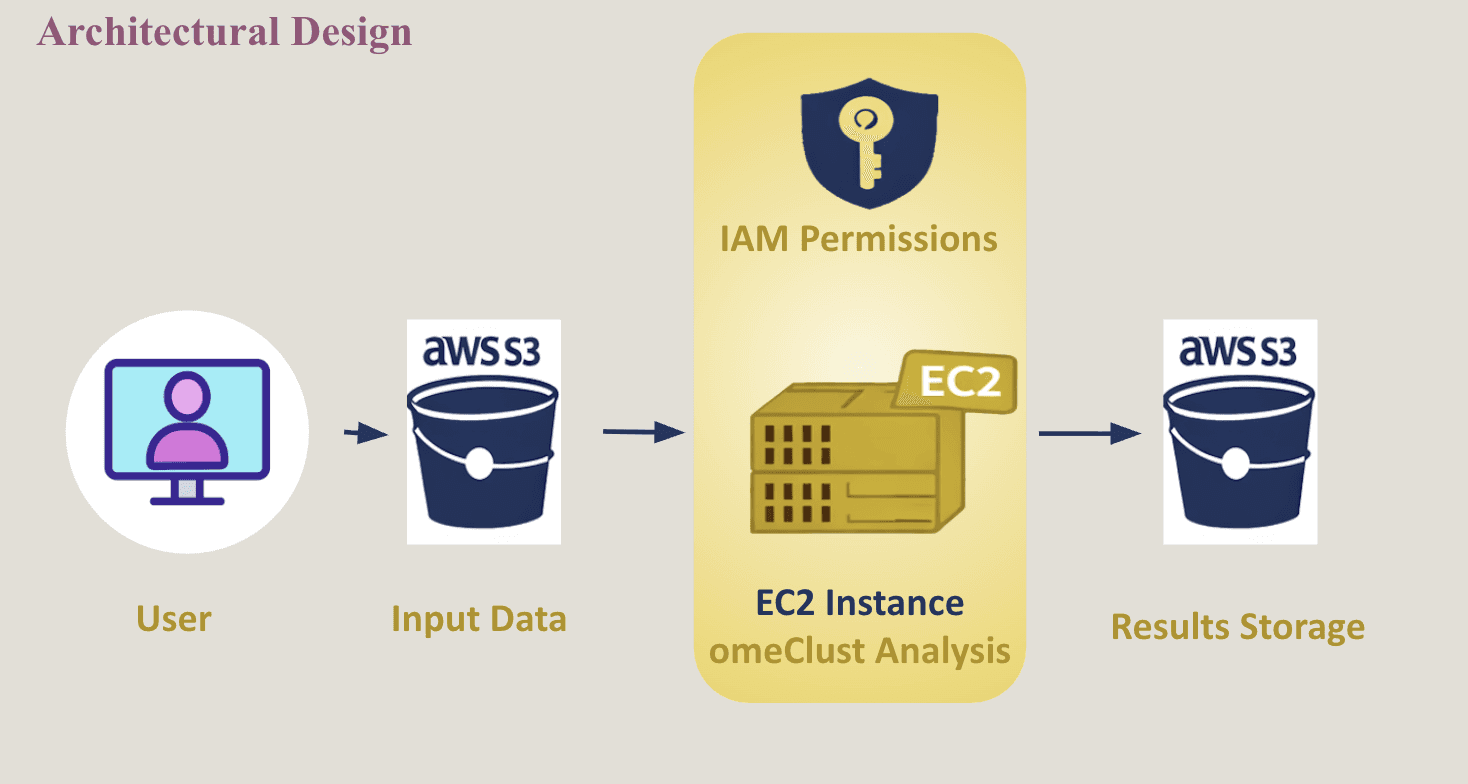
In this exercise, I demonstrate the steps of a cloud-based workflow to show how AWS services can be used in a real analysis pipeline that is applicable to scalable bioinformatics workflows.
What Happened
Step 1 – Create Cloud Storage (S3)
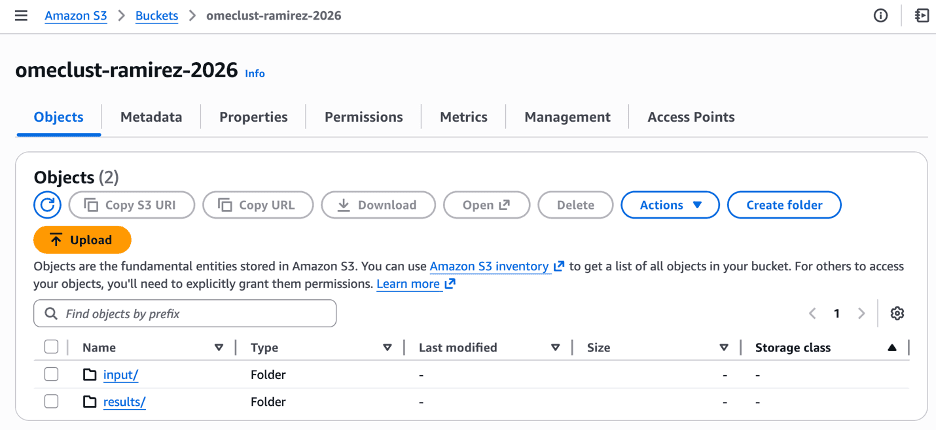
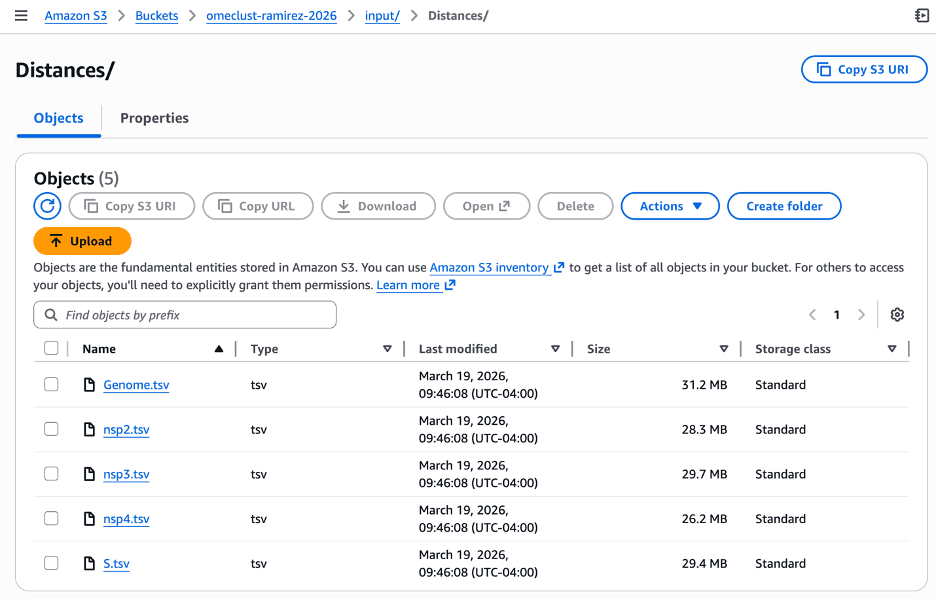
First, an S3 bucket named omeclust-ramirez-2026 was created to store both input data and results. Inside the bucket, two folders were set up: input/ for the dataset and results/ for the output files. The distance matrix files that housed all the genetic data were then uploaded into the input/ folder so they can be accessed later by the compute environment. The first image shows the file objects: input, results. The second image shows the tsv genome data files in the input folder.
Step 2 – Configure Access (IAM)
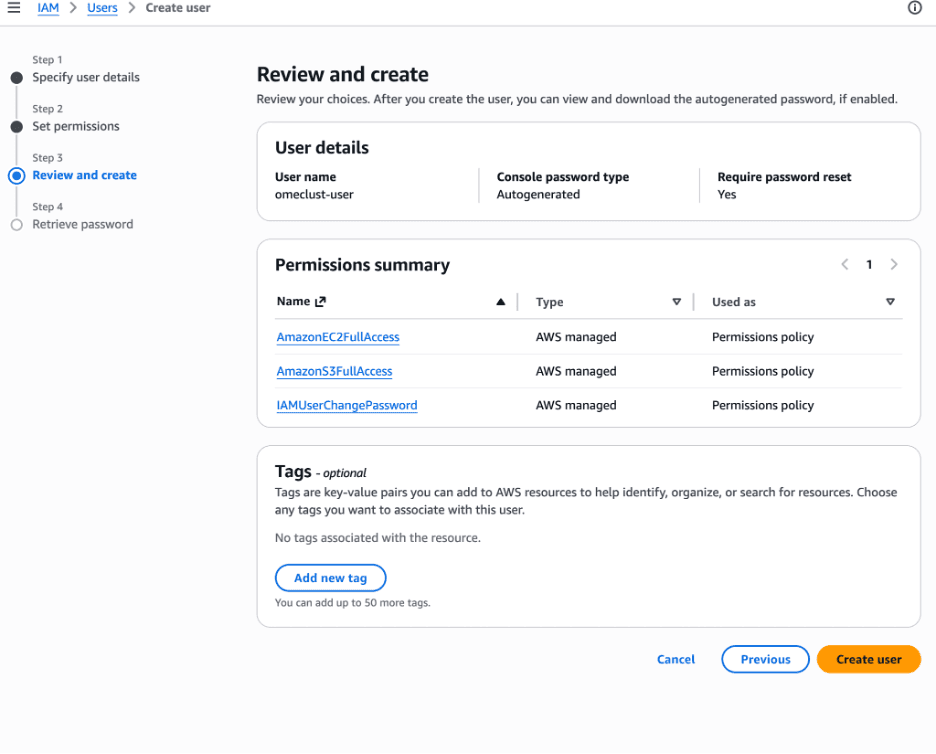
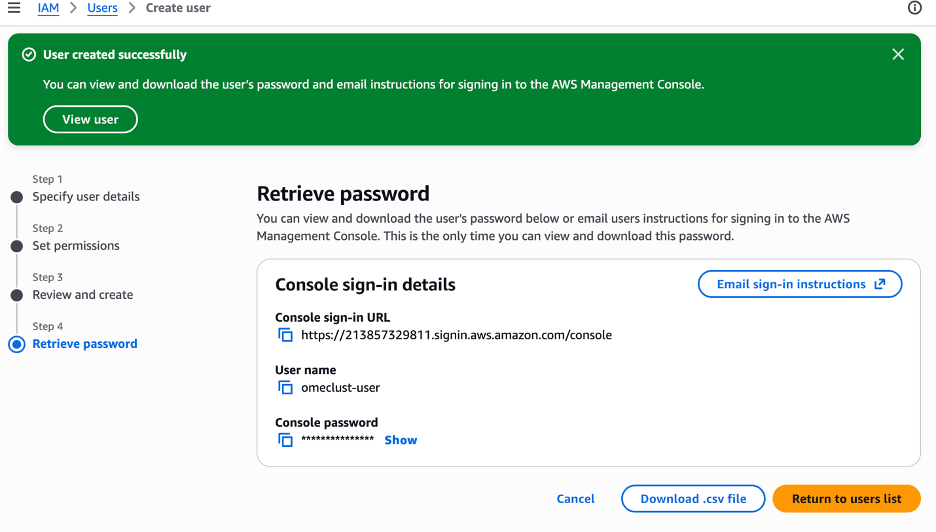
An IAM user was created and given permissions to access both S3 and EC2 (AmazonS3FullAccess and AmazonEC2FullAccess) in the first image. IAM is used to control who and what can interact with AWS resources. This step ensures that the EC2 instance can securely retrieve data from S3 and upload results back without exposing sensitive credentials or manually handling access each time. Confirmation of the IAM permission is shown in the second image below.
Step 3 – Launch Compute Resource (EC2)
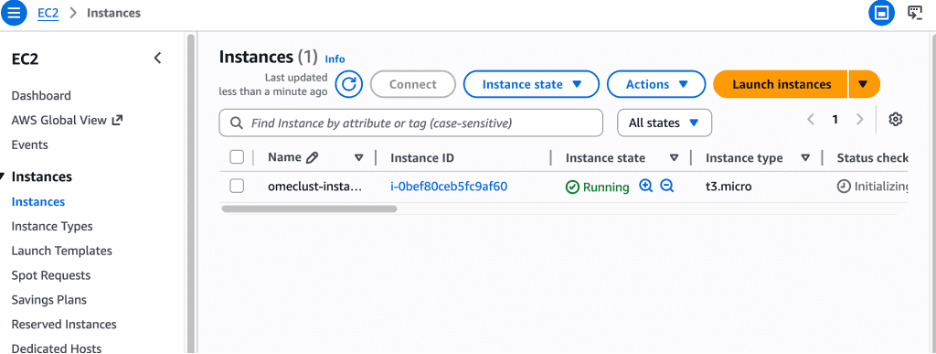
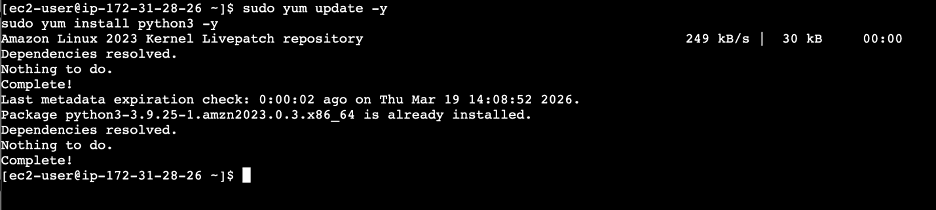
A Linux EC2 instance (t3.micro) was launched, shown in the first image below, to serve as the compute environment where the analysis would run. EC2 acts like a virtual machine in the cloud, allowing you to run code without needing your own hardware. This is useful because computational needs can vary depending on the dataset, and EC2 allows you to scale resources as needed. Once running, the instance was accessed through the browser terminal, and Python was installed to prepare the environment as shown is the second image below.
Step 4 – Run omeClust Analysis
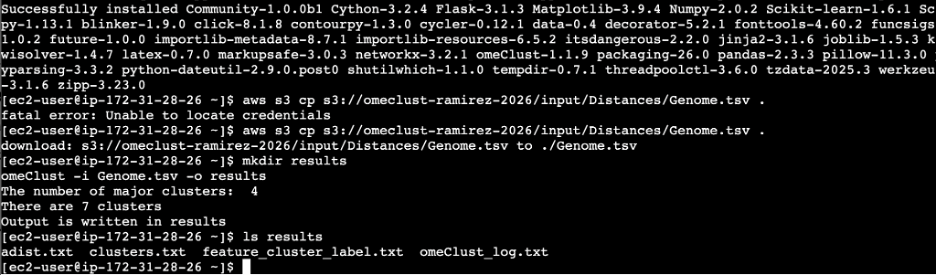
The dataset was downloaded from S3 into the EC2 instance using the AWS Command Line Interface, allowing the analysis to run locally on the compute resource. omeClust was then installed and executed on the dataset. This step highlights how storage and computation are separated in cloud workflows, data is stored in S3, but processing happens in EC2. The analysis produced several output files, including cluster assignments and logs. The image below shows the command prompts used to felicitate this step.
Step 5 – Store and Share Results
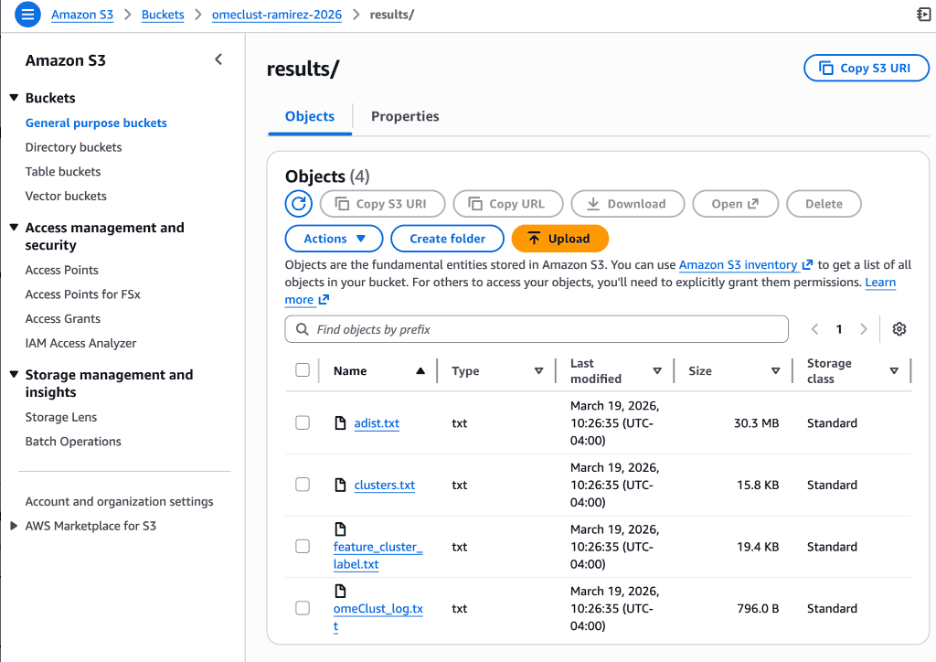
After the analysis was complete, the output files were uploaded back to the S3 bucket into the results/ folder. This step ensures that results are saved in a persistent location, independent of the EC2 instance. Since EC2 instances are temporary and can be terminated at any time, storing results in S3 allows them to be easily accessed, downloaded, or shared later.
Step 6 – Cleanup Resources
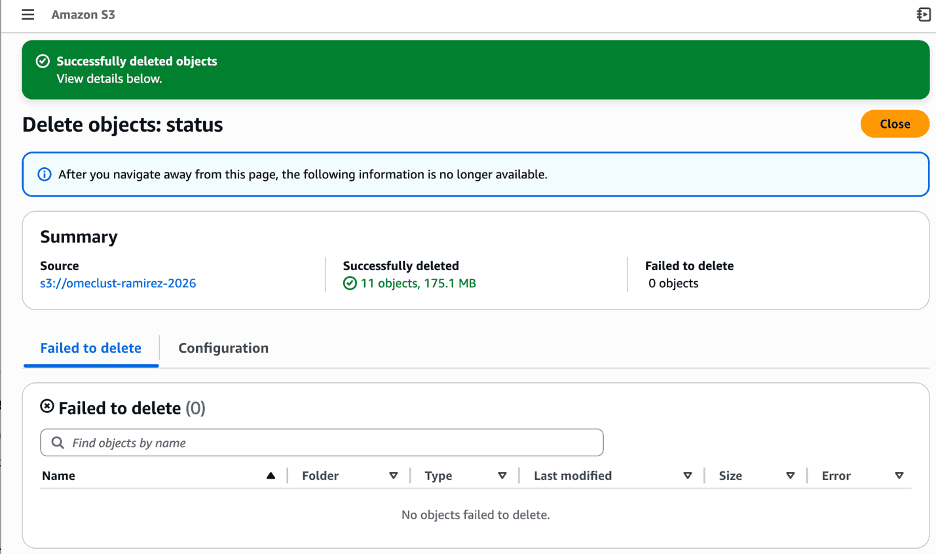
Finally, the EC2 instance was terminated and all files in the S3 bucket were deleted. This step is important because AWS resources are billed based on usage. Since EC2 is meant to be used only during computation, shutting it down after the analysis prevents unnecessary costs and reinforces the idea of using cloud resources only when needed.
Wrap Up
This workflow, while focused on a single omeClust analysis pipeline, reflects a much broader trajectory in modern human health research. At the micro level, it enables detailed exploration of complex biological relationships such as microbial interactions and molecular patterns with scalable computational tools. As these workflows are repeated, standardized, and expanded, they contribute to larger datasets that inform population-level insights, bridging the gap between individual biological signals and public health understanding. The ability to efficiently store, process, and share data in cloud environments like AWS is a foundational step toward this integration.
As we continue advancing in data synthesis, the convergence of high-throughput biological data and scalable computing will redefine how we study health across systems and populations. Looking ahead, I aim to explore the introduction of AI-driven tools into HPC environments and its promises to accelerate this transformation. Features that propel us forward by enabling automated pattern discovery, predictive modeling, and real-time analysis at unprecedented scales. These developments signal a future where insights from microbiology to population health are continuously evolving through intelligent, adaptive systems.